
Hostwinds Blog
Search results for:
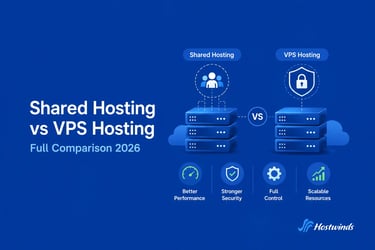
Shared Hosting vs VPS Hosting - Full Comparison 2026
by: Hostwinds Team / July 20, 2026
At some point, most website owners face the same question: is it time to move from shared hosting to VPS?
Maybe your site is getting more traffic. Maybe you've noticed performance dipping at peak hours. Or maybe someone told you VPS is "better" and you want to understand what that actually means before spending more money.
This guide breaks down the real differences between shared and VPS hosting so you can make the right call for your site, your budget, and your skill level.
What is Shared Hosting?
Shared hosting is exactly what it sounds like: your website shares a physical server with hundreds of other websites. You all use the same CPU, RAM, and storage. The hosting provider manages everything software, security, updates and you simply upload your site and go.
It's the most affordable way to get a website online, and for small sites that don't get huge amounts of traffic, it works well.
The main limitation is resource sharing. If another site on your server gets a traffic spike or runs a resource-heavy script, your site can slow down. You have no control over that, and no way to prevent it.
What is VPS Hosting?
With VPS (Virtual Private Server) hosting, you still share the physical hardware with other users but your portion of the server is completely isolated. A specific amount of CPU, RAM, and storage is allocated exclusively to you.
Think of it as the difference between renting a room in a shared house versus having your own apartment in a building. The building is shared, but your space is yours.
You also get root (or administrator) access, which means you can install custom software, configure the server however you need, and have full control over your hosting environment.
The Key Differences Side by Side
Performance
- Shared hosting performance is unpredictable. On a quiet server with well-behaved neighbours, it can feel fast. But because resources are shared, your site is susceptible to the "noisy neighbour" problem
- VPS hosting gives you guaranteed resources. Your CPU allocation and RAM are reserved for you, so your performance stays consistent regardless of what other users on the same physical machine are doing.
Winner: VPS especially for sites that need consistent load times.
Price
- Shared hosting is the most affordable option in web hosting. Plans typically start between $2–$5/month, making it ideal for beginners, personal sites, and small business websites.
- VPS hosting costs more because you're getting dedicated resources. Hostwinds' managed Linux VPS plans start at $7.14/month. The price scales up depending on CPU, RAM, and storage requirements.
If budget is tight and your site is small, shared hosting is the practical choice. But for sites that have grown past the shared hosting ceiling, VPS is worth every extra dollar.
Winner: Shared hosting for price. VPS for value at scale.
Security
- Shared hosting has inherent security limitations. Because your site shares an environment with hundreds of others, a security compromise on another site can potentially affect yours, depending on how well the hosting provider has isolated the accounts.
- VPS hosting provides a completely isolated operating system environment. What happens on another VPS has no effect on yours. You also have control over your own firewall, security configurations, and software.
Winner: VPS especially if you handle customer data, run an eCommerce store, or need compliance with security standards.
Control and Customisation
- Shared hosting gives you limited control. You can usually access cPanel, install apps like WordPress with one click, and manage files but you can't install custom software at the server level or change server configurations.
- VPS hosting gives you full root access. You can install any software, use any programming language, configure server settings, run cron jobs, set up custom firewall rules, and build whatever you need.
Winner: VPS hands down, if technical flexibility matters to you.
Technical Skill Required
- Shared hosting is designed for non-technical users. Everything is managed for you. You just manage your website content.
- Managed VPS hosting still handles the server management for you (updates, security, monitoring) but gives you more power and options. It's accessible even if you're not a sysadmin.
- Unmanaged VPS hosting requires you to manage the server yourself. This is best suited for developers and system administrators. If you're not sure which you'd need, our guide on managed vs unmanaged hosting breaks down the difference clearly.
Winner: Shared hosting for ease of use. Managed VPS bridges the gap well.
Scalability
- Shared hosting has a ceiling. When your site outgrows the resources available on a shared plan, you either deal with slow performance or move on.
- VPS hosting is scalable. On Hostwinds, you can upgrade your VPS resources through the Cloud Portal with more CPU cores, more RAM, more storage whenever you need them, without migrating to a different server.
Winner: VPS much more room to grow.
Quick Comparison Table
| Factor | Shared Hosting | VPS Hosting |
| Price | $2–$5/month | $7–$50+/month |
| Resources | Shared | Dedicated |
| Performance | Variable | Consistent |
| Security | Basic isolation | Full OS isolation |
| Root access | No | Yes |
| Technical skill | Low | Low–High (depends on plan) |
| Scalability | Limited | On-demand |
| Best for | Beginners, small sites | Growing sites, developers |
When Should You Stay on Shared Hosting?
Shared hosting is the right choice when:
- Your site is new or just getting started
- You get fewer than a few thousand visitors per month
- You're running a personal blog, portfolio, or small business website
- You want the simplest possible hosting experience
- Budget is the primary constraint
Hostwinds' shared hosting plans are a solid starting point for SSD storage, unlimited bandwidth, free migration, and 24/7 support from day one.
When Should You Upgrade to VPS?
It's time to consider VPS when:
- Your site has become noticeably slower during traffic peaks
- You've hit resource limits on your shared plan
- You need to install custom software or run custom server configurations
- Your site handles sensitive data that requires stronger security
- You run an eCommerce store and need reliable uptime and performance
- You're building a web application, not just a static website
For a deeper look at what VPS hosting actually involves, check out our complete VPS guide.
What About the Step in Between Cloud Hosting?
Some people skip straight from shared to cloud, rather than VPS. Cloud hosting offers scalable resources like VPS but with the infrastructure spread across multiple servers, which can offer better redundancy. Hostwinds' cloud servers are available alongside VPS and dedicated options and our support team can help you figure out which makes more sense for your specific situation.
Wrapping Up
Shared hosting and VPS serve genuinely different needs. Shared hosting is the right starting point for most websites; it's affordable, easy, and does the job. But once you start bumping into its limits, VPS gives you the dedicated resources, control, and consistency that a growing site needs.
If you're not sure which side of that line you're on, the easiest thing to do is check with support. Hostwinds' team is available 24/7 and can look at your current setup and give you an honest recommendation with no upsell pressure.
Written by Hostwinds Team / July 20, 2026