
Hosting Tutorials
Search results for:
Table of Contents
Getting Started as an Affiliate with Hostwinds
Hostwinds offers an Affiliate Program for individuals and businesses that want to refer customers to eligible Hostwinds services. After joining the program, affiliates receive a unique referral link that can be shared on approved websites, in content, on social media, or through other promotional channels.
This guide explains how to register for the Hostwinds Affiliate Program and activate your affiliate account from the Hostwinds client area.
Before You Begin
To become a Hostwinds affiliate, you will need a Hostwinds client account.
If you already have a Hostwinds account, you can use your existing login to access the client area and activate your affiliate account.
If you do not have a Hostwinds account, you can create one during the affiliate registration process.
Before promoting Hostwinds, review the following resources:
Step 1: Visit the Hostwinds Affiliate Program Page
To begin, go to the Hostwinds Affiliate Program page:
Select Register Now to start the affiliate registration process.
Step 2: Sign In or Create a Hostwinds Account
After selecting Register Now, you will be directed to the Hostwinds client registration page.
Existing Hostwinds users can sign in with their current account credentials. New users can complete the registration form to create a Hostwinds client account without ordering a service.
Once registered, sign in to the client area and continue activating your affiliate account.
Step 3: Activate Your Affiliate Account
Once you are signed in to the Hostwinds client area, go to your account profile.
From there, select Activate Affiliate Account.
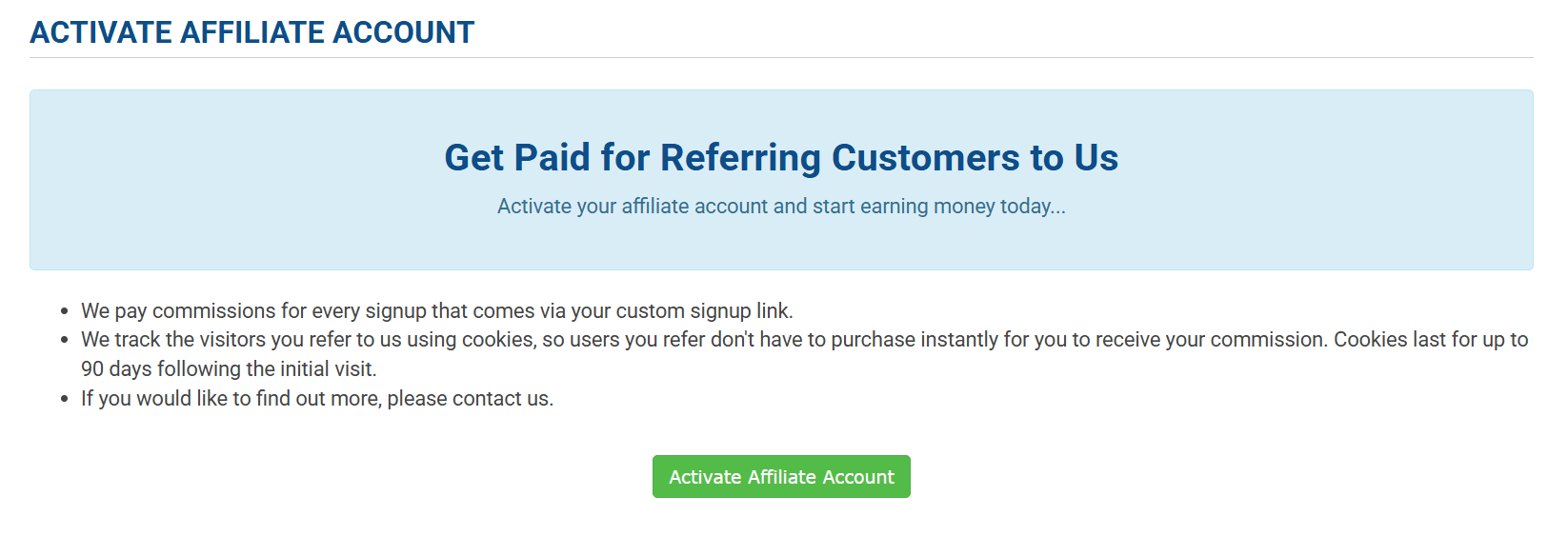
After activation, your affiliate account will be created and connected to your Hostwinds client profile.
Step 4: Access Your Affiliate Area
After activating your affiliate account, you will be able to access your affiliate area from the Hostwinds client area.
Your affiliate area includes your unique referral link and affiliate statistics, such as clicks, signups, conversions, referral activity, commission information, and, when available, withdrawal options.
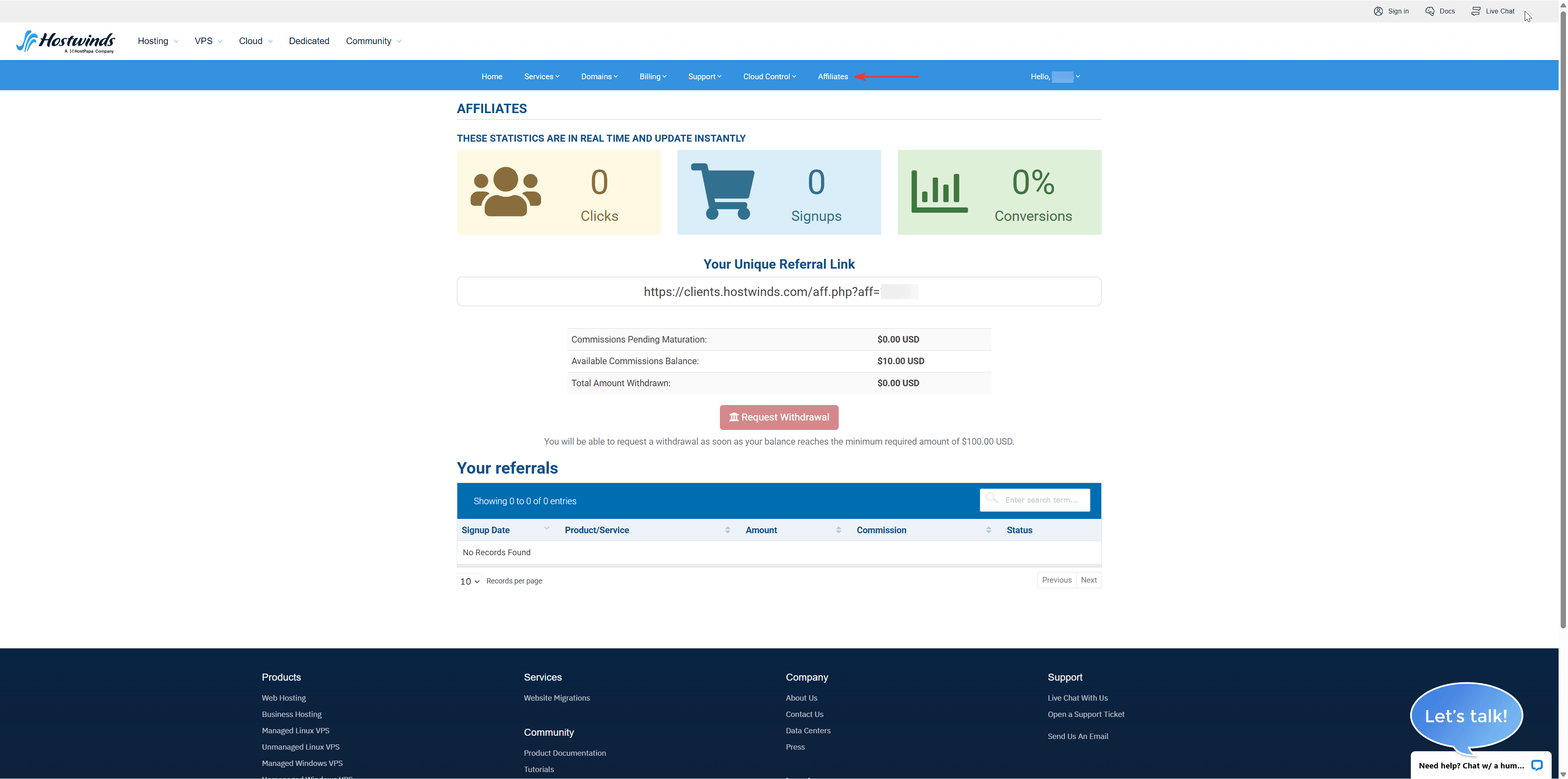
For a detailed walkthrough of the affiliate area, referral tracking, commission fields, and withdrawal options, see the Hostwinds Affiliate Overview.
Next Steps
Once your affiliate account is active, you can copy your referral link and begin sharing it through approved promotional channels.
Make sure your promotions follow the Hostwinds Affiliate Program Agreement. The Affiliate FAQ provides additional answers about commissions, referrals, payouts, and account management.
For affiliate-related questions, contact: affiliates@hostwinds.com
Related Resources
Written by Hostwinds Team / April 18, 2023