
Hosting Tutorials
Search results for:
Table of Contents
How to Install 1-Click application templates onto a Hostwinds VPS or Cloud Server
1-Click Application Templates
Application templates are standard frameworks that users employ when they create applications, creating the foundation for the application developers to build. Depending on the template, developers can choose the application and environment properties and the version of the framework they will be working with using Hostwinds' 1-Click templates.
Hostwinds Cloud Portal
Using the Hostwinds Cloud Portal, Developers can create any number of servers and install these 1-Click applications at a moment's notice. Hostwinds users can spin up servers and then build anything from WordPress to Drupal using the 1-Click installation.
Step 1: Log Into Your Client Area.
On the website, www.Hostwinds.com, look for the Sign in link at the top right of the screen. Once you have done so, Hostwinds directs you to the Cloud Portal dashboard. In our Product Documentation section, you can view several breakdowns and walkthroughs about the Hostwinds Client Area.
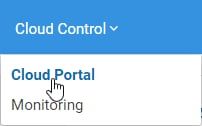
Step 2: Enter the Cloud Control Dashboard.
The Client Area Dashboard top bar menu contains a drop-down named "Cloud Control." Click this drop-down and then click on the Cloud Portal link in the drop-down to enter the Cloud Control Dashboard. At this point, if you do not already have a server purchased and built, a green Create Server button will present for you to do so immediately. If you have already purchased a server for other uses, look to the dashboard's top right for the green Create drop-down button. The first option at the top of the drop-down will send you to the page to create your new server.
Alternatively, if you want to re-install an application, you can find directions to do so in our Product Documentation on the Re-installing a Cloud Server page. Note: We recommend that you take a backup of the server you will replace before re-install. If no backup is taken of the server, all data will disappear when the re-install is performed. For this tutorial, however, we are starting with no server installed.
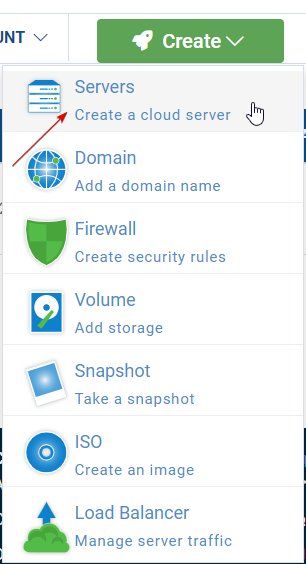
Step 3: Create Your Server.
The Create a Server page offers multiple image options for installations to peruse using the Select Server Image menu. In this case, server images available are preconfigured to work as soon as the server is up and running. From the Select Server Image menu, click on the Applications menu option. Doing so will present all the current 1-click install applications that Hostwinds provides. Click on the application you would like to install.
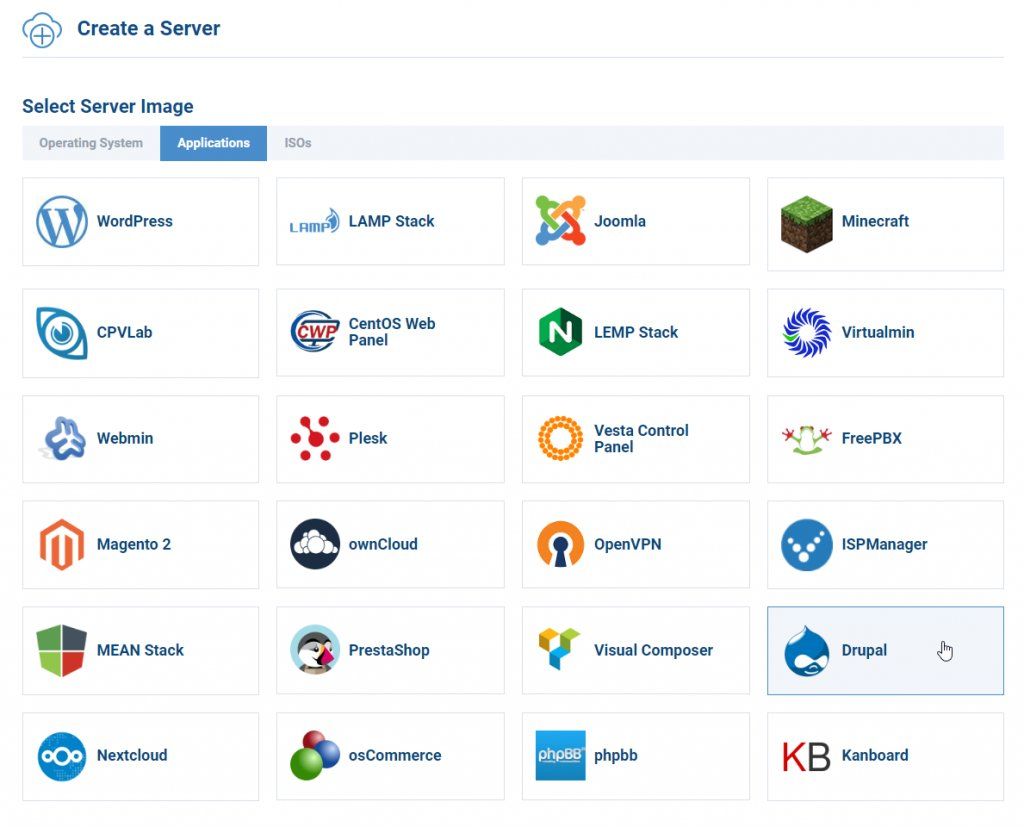
Step 4: Choose Your Plan.
Once you have selected the application you want to install, scroll down the page to choose the plan you would like this server to use. Hostwinds provides two plans currently, each with different tiers of support available:
Fully Managed plans come standard with Hostwinds Tiers of Support outlined here in the Tiers of Support article. These should be able to handle most problems you and your server can run into. 24/7 Live Chat and Tickets support for troubleshooting any issues as well as System Software Upgrades. Hostwinds highly recommends that users choose Fully Managed plans if they do not consider themselves expert developers.
Unmanaged servers save you money at the cost of support. Hostwinds unmanaged services support you right up to the point that you have created a server, and once you have done so, Hostwinds trusts your expertise and does not charge for the complex tasks needed on full management plans. Hostwinds only recommends purchasing unmanaged plans if you consider yourself an expert.
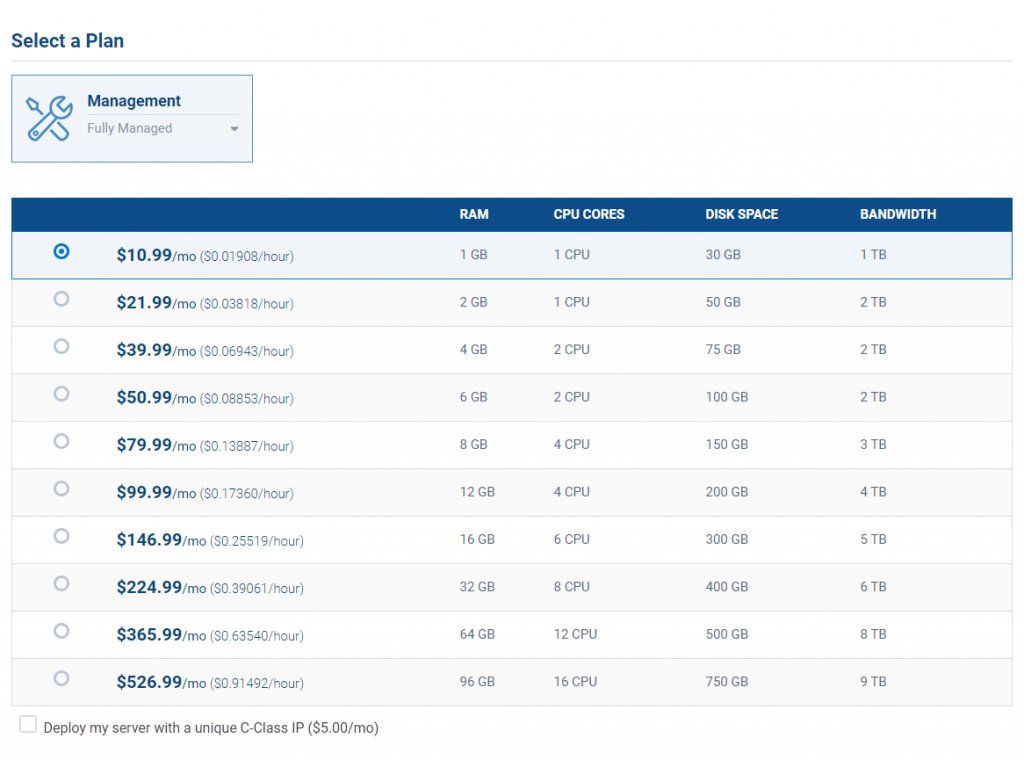
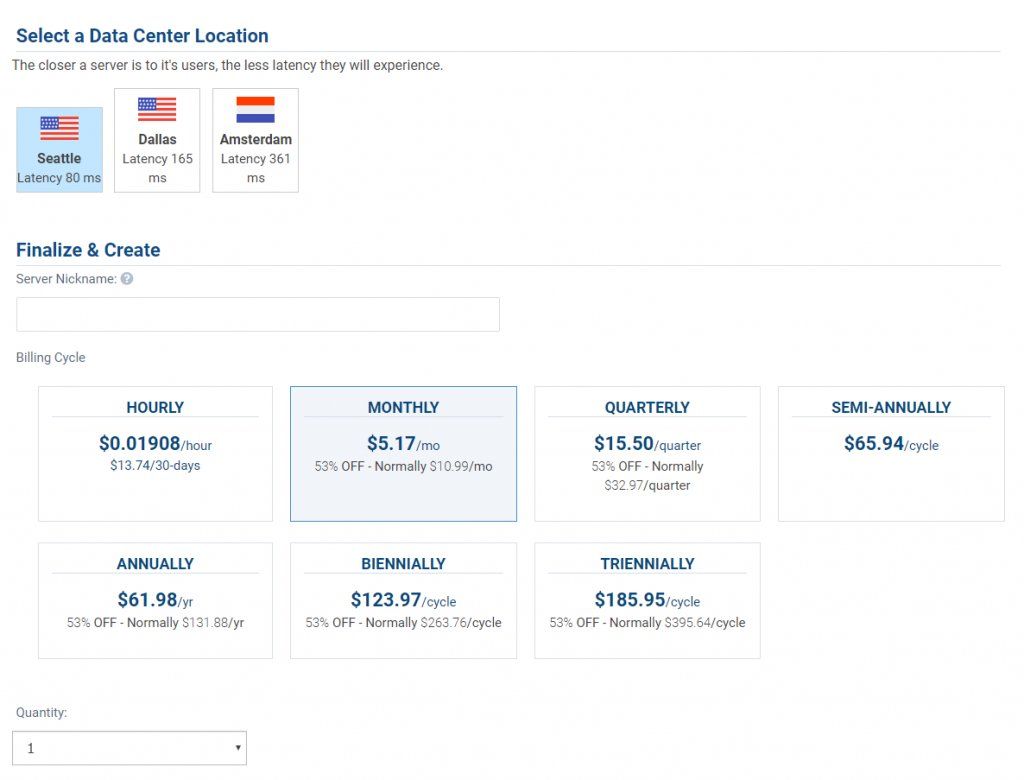
Choosing between Managed and Unmanaged plans will display available server configurations for you to look through, provide the ability to deploy your server with a unique C-Class IP, and available SSH Keys to add to your server. Once you have done so, you will be able to Select a Data Center Location. If you know where the primary audience for the application is located, Hostwinds recommends you select the data center closest to this location. For instance, if your primary audience is France, then the Amsterdam Server is most likely the choice for you. Note that the latency (a measurable delay between the action taken by a user and the response by the web application to that action) shows below the name of the data center location for easy reference, and the lower latency, the quicker your application will be.
Step 4: Finalize and Create Your New Server.
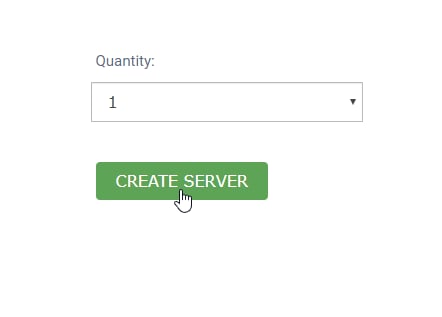
Lastly, to identify your server quickly in the future, you will need to create and enter a Server Nickname into the text field provided. This will be invaluable in the future if you are working with multiple applications and servers. Once you have done so, you are provided a choice for your billing cycle with various options from Hourly to Triennially. Note that you can change these cycles in the future as needed, but you may experience changes in pricing. Finally, choose how many servers with this 1-click installation you would like to create and click on the green Create Server button.
You will receive a notice shortly after that says 'Create Instance Succeeded.'
Final Notes
Once your server creation has been finalized, it will populate on the 'My Servers' page. You will be able to click on your server nickname and get to work.
Note: Depending on what application you are installing, it can take up to 30 or 40 minutes for the installation process to complete. You can log in through SSH if you would like to check the status of the installation. A message will appear stating that the application is installing if that is still the case.
Written by Hostwinds Team / October 19, 2021